Follow the advertising total into the calls behind it.
Review the selected period, compare channels and campaigns, then inspect the attributed calls and available outcomes before changing spend.
- Selected-period totals
- Campaign and channel detail
- Attributed call outcomes
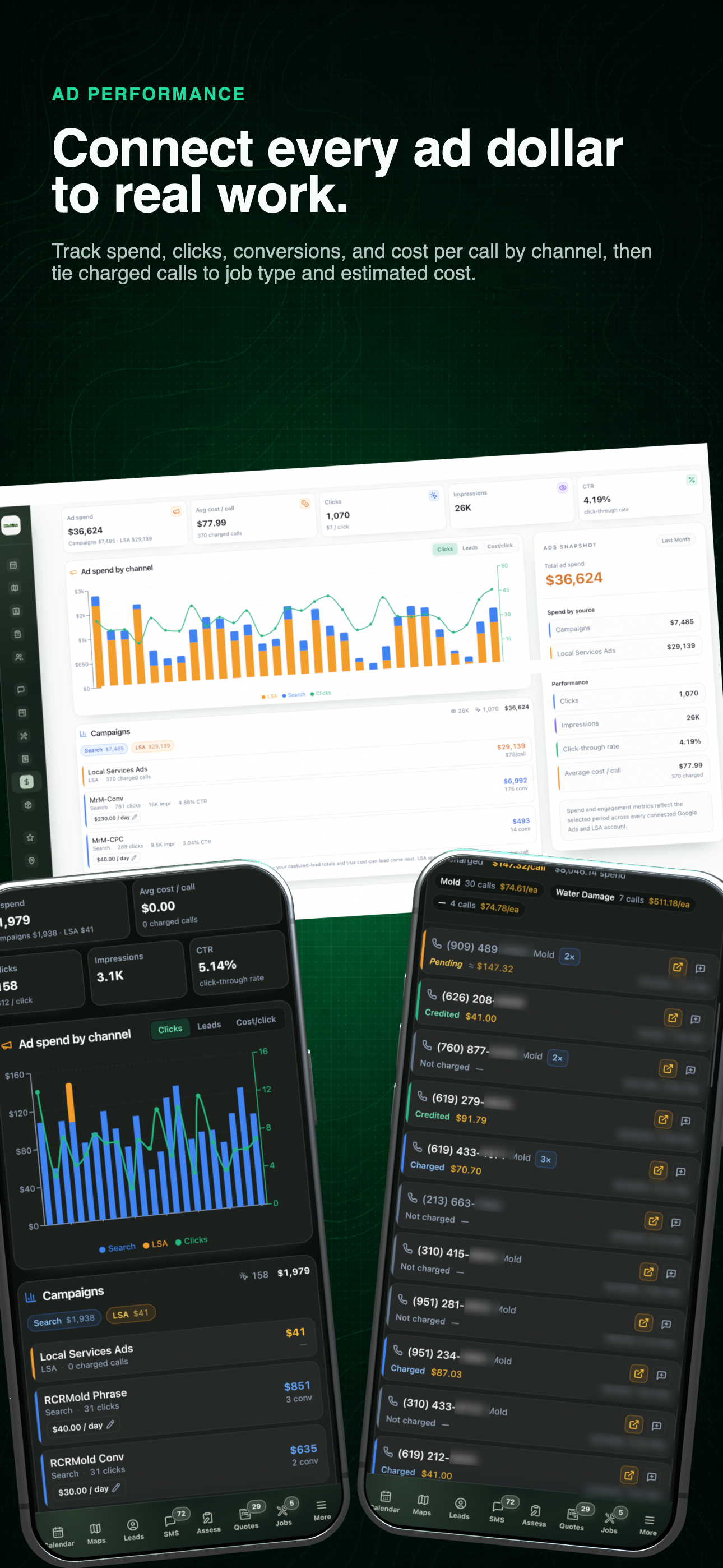
Advertising performance workflow
See the period summary, campaign mix, and supporting call activity together before opening the detailed evidence below.
02 / Campaigns
Follow ad spend into the calls behind it.
Choose a date range, compare campaigns, and open the calls behind the spend. See the requested service and whether each call was charged or credited.
- 01
Start with the selected period
Review available spend, calls, impressions, conversion rate, and channel mix with the date range still visible.
- 02
Open the campaign detail
Move from the blended totals into individual campaign and channel results before deciding what is actually changing.
- 03
Inspect the calls behind attribution
Where the source data exists, compare call status, job type, and estimated value instead of treating every attributed call as equal.
Use the left and right arrow keys to change screenshots. On a touch screen, swipe horizontally. Activate a screenshot to open its expanded view.
Read the period summary, channel mix, and individual campaign results in the same view.
1 / 2
Scroll through the workflow
2 views
Mobile workflow
01 / 02
Mobile workflow
02 / 02
Tap any view to expand it, then use the controls or swipe between the full-screen screens.
Let’s walk through a job.
Tell us how you work today. We’ll walk through the calls, fieldwork, and reports that matter to your team.
0130-minute personalized walkthrough
02See pricing for your team size
03No obligations or pressure