01Take the call
Pick up where the conversation left off.
The recording, client details, messages, and linked work stay together. Open the record and get straight to the next step.
Explore lead capture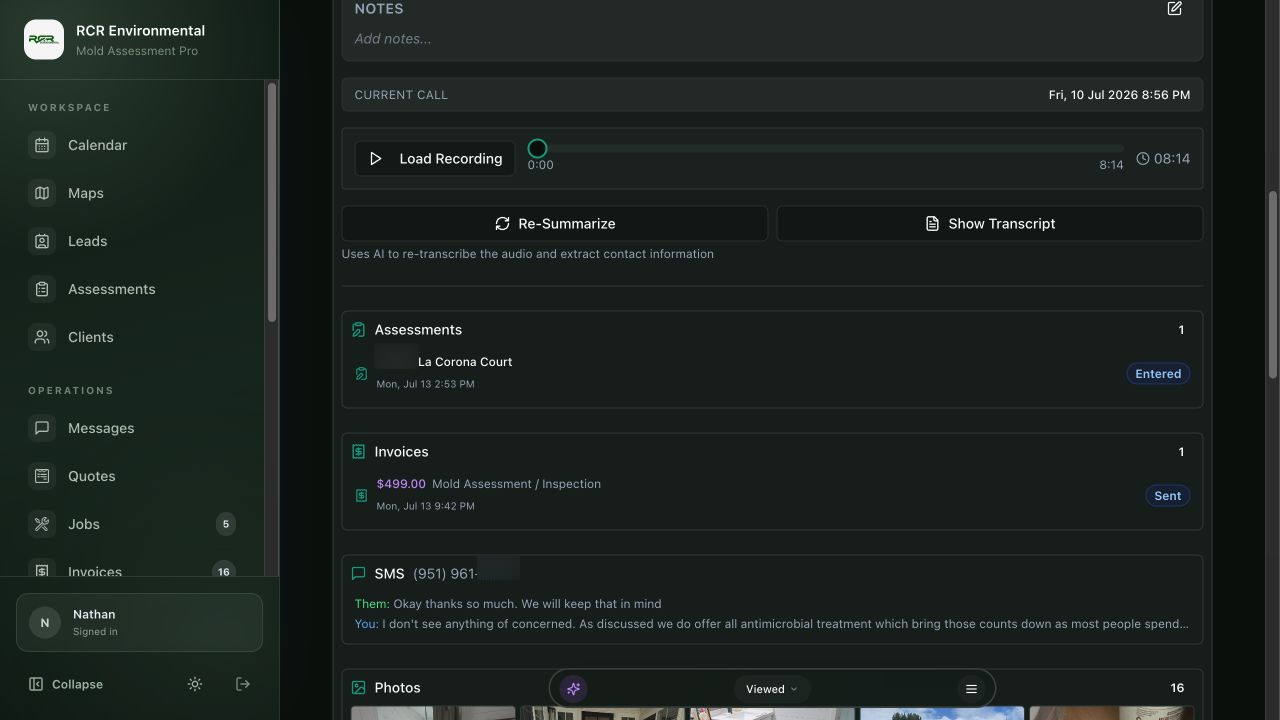
Software for mold inspection & restoration
From the first phone call to the paid invoice. Keep your clients, field notes, reports, and follow-ups in Mold Inspector Pro.
A working day, with less back-and-forth
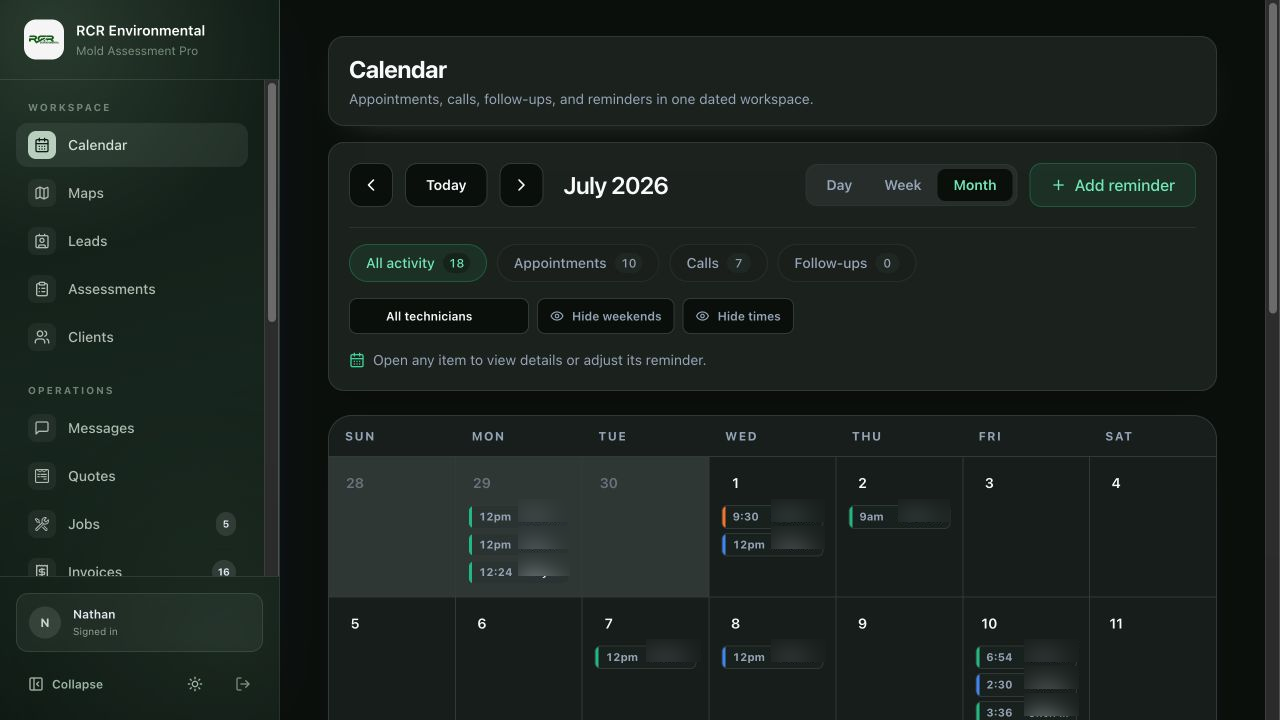
Calls turn into visits. Visits turn into reports. Here’s how the details travel with the job.
01Take the call
The recording, client details, messages, and linked work stay together. Open the record and get straight to the next step.
Explore lead capture02Do the fieldwork
Keep room notes, sample readings, and photos with the assessment. Give the office a record it can use to prepare the report.
Explore assessments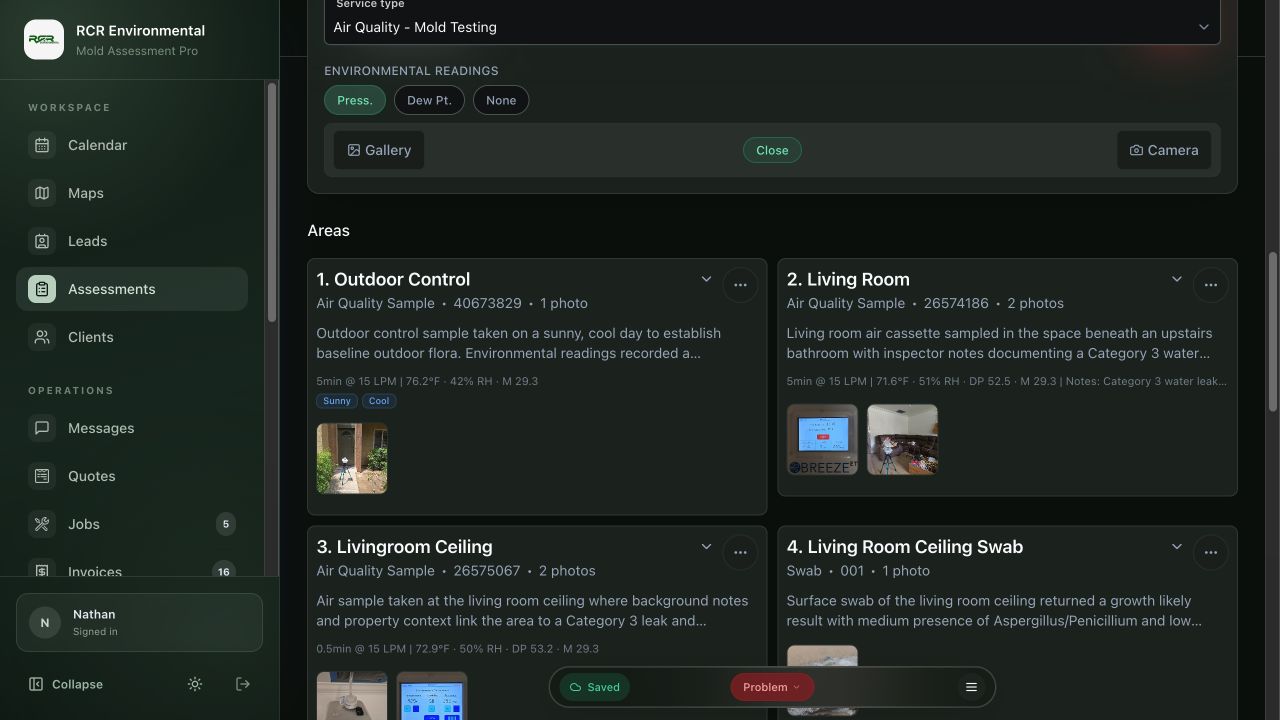
03Get the approval
Send a quote they can review and sign from a link. Check the approval history before moving on to the invoice.
Explore quoting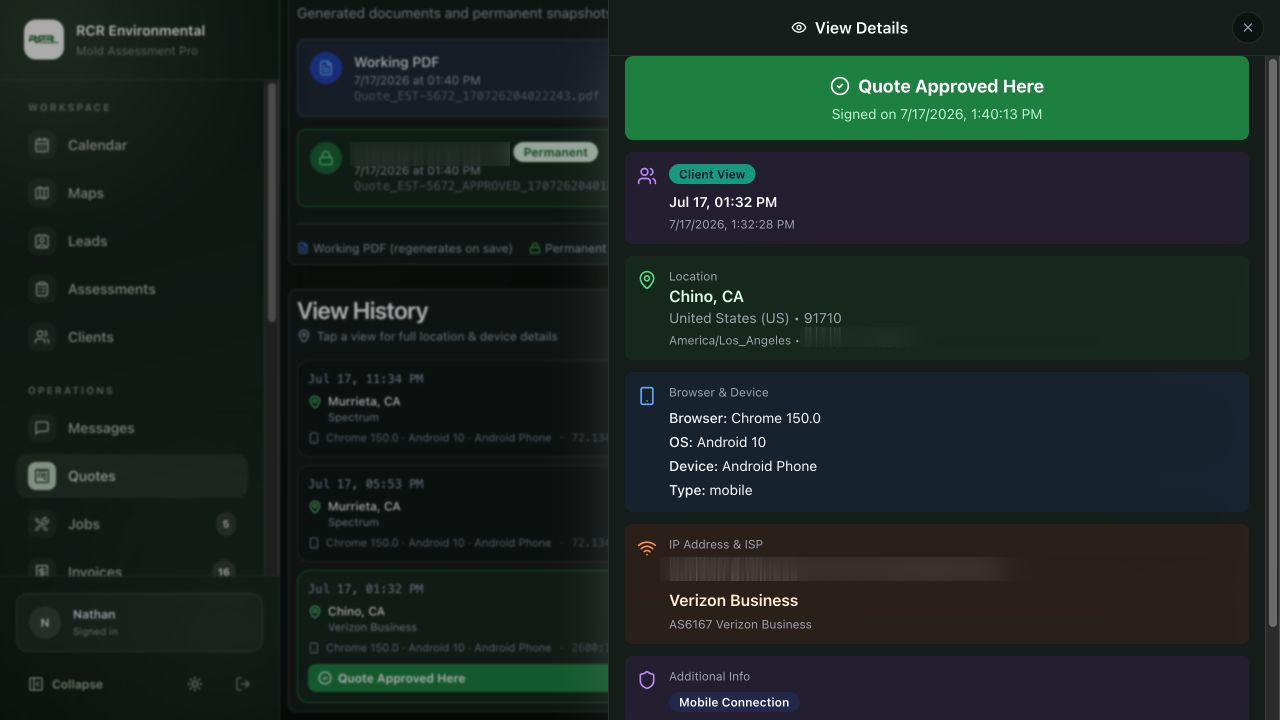
04See the numbers
Review income, expenses, profit, and outstanding balances in the same place you manage the work.
Explore financials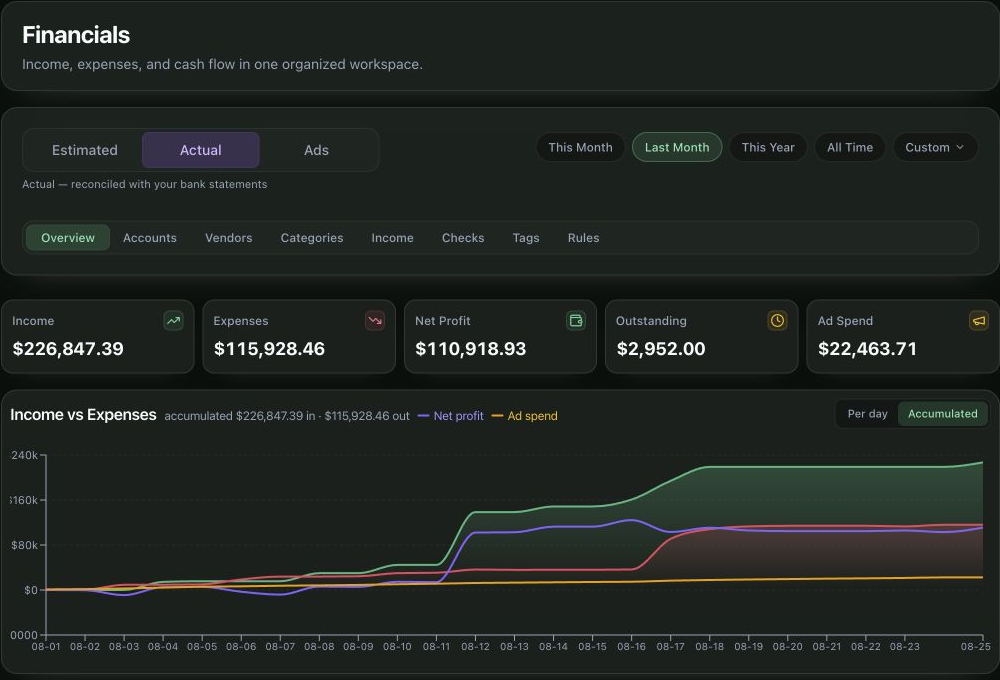
Watch an assessment take shape
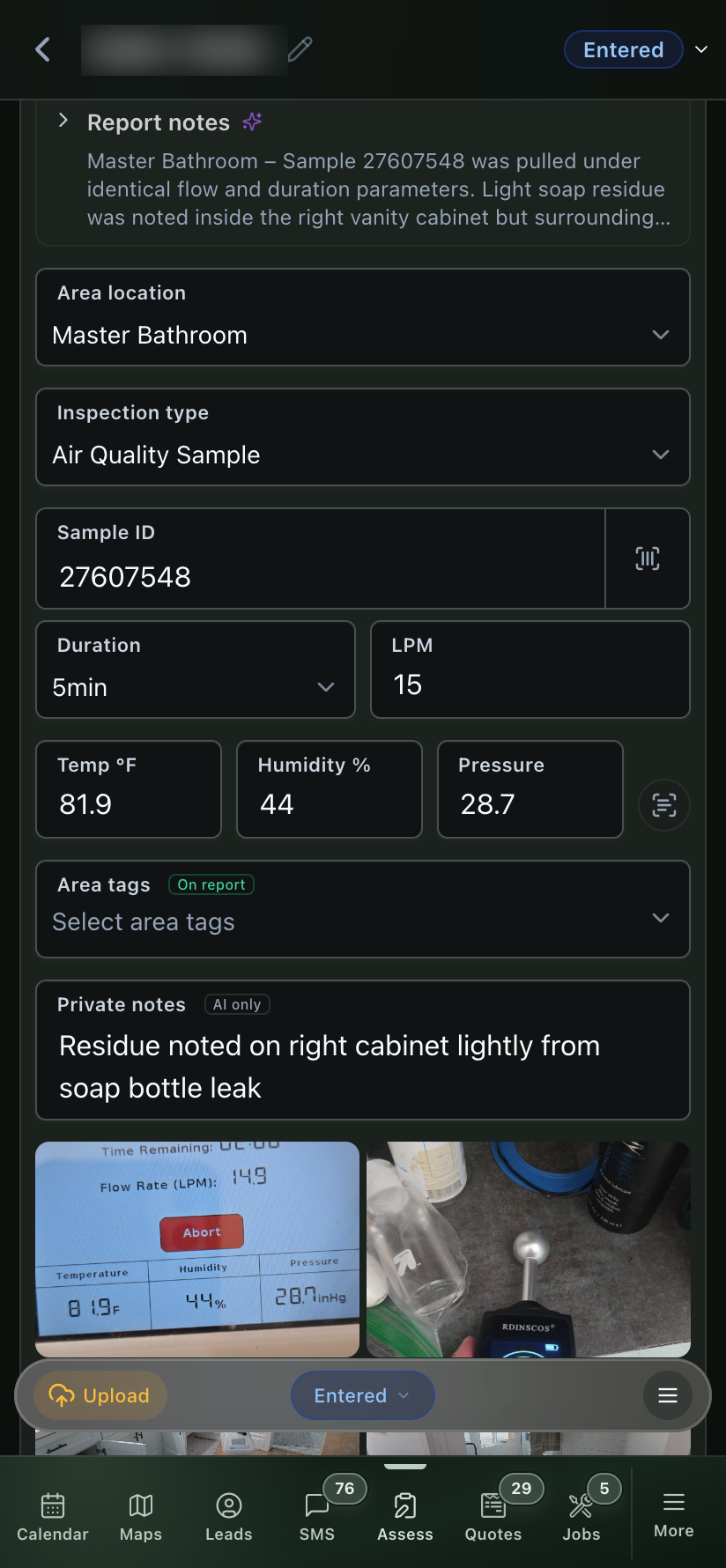
Here’s what entering an area looks like on site. Scan the sample barcode, photograph the meter, choose the area tags, and keep the photos with the record.
The findings, on screen and on paper
Real field photos, sample results, and indoor/outdoor comparisons. Let clients read the findings on their phone, or give them a branded PDF to keep.
Explore reports
Real product HTML. Client details and signatures replaced for this preview.
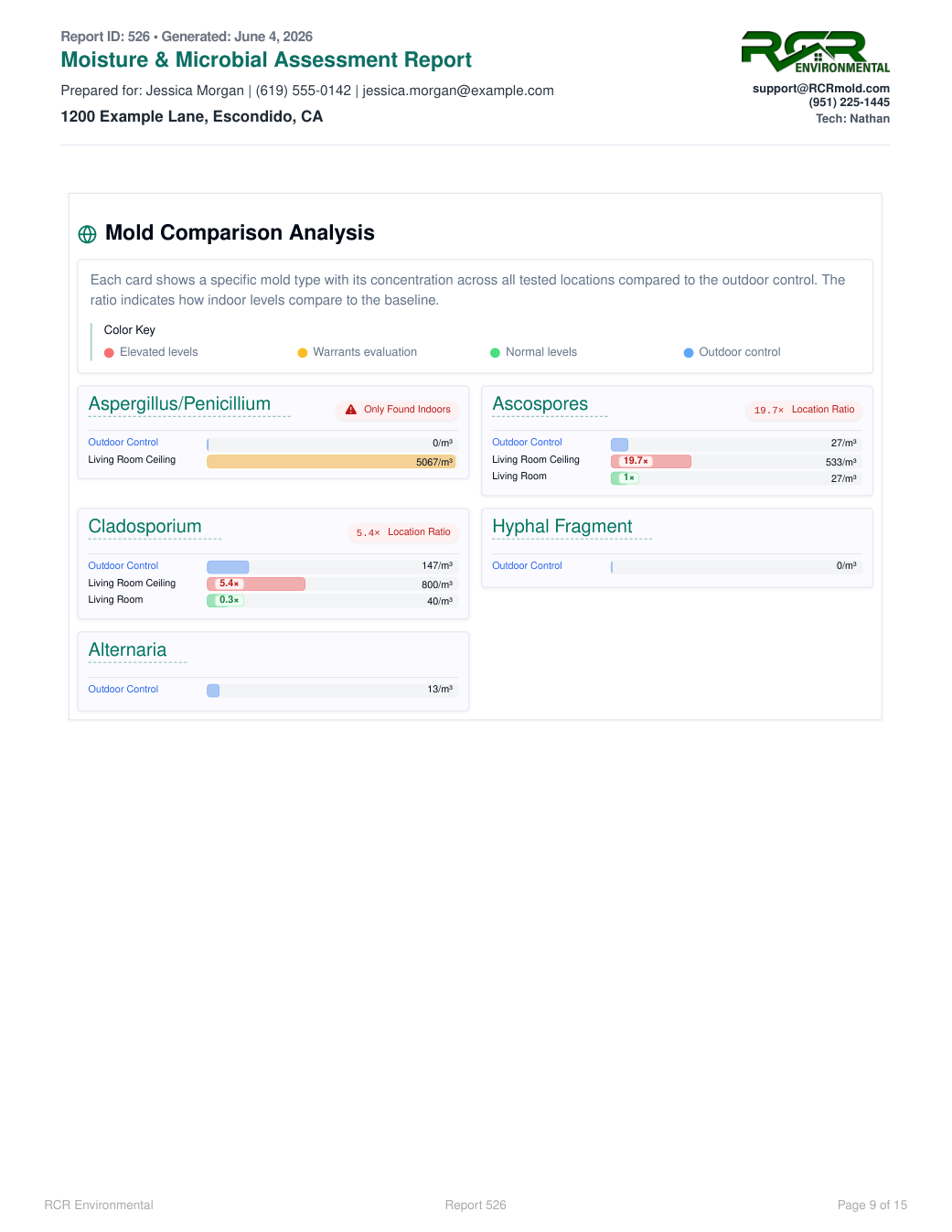
Indoor/outdoor comparison · source page 9
The same comparison in both formats: indoor readings, the outdoor control, and the flagged ratios.
The numbers behind the work
Put income beside expenses and follow profit over time. Switch between day-to-day activity and accumulated totals, then open the categories behind the numbers.
Explore financialsAcme demo · August 2026
The actual Financials screen, with sample transactions from the Acme demo account.
Document intelligence
Quotes and invoices keep a clear activity trail. Follow up with context instead of guessing whether the client received, opened, or returned to a document.
Views, unique visitors, downloads, and prints are visible at a glance.
Know which version was opened and when the client came back.
Device and location details stay attached to the document activity.
Real product view. Sensitive client details have been obscured.
Recorded sessions
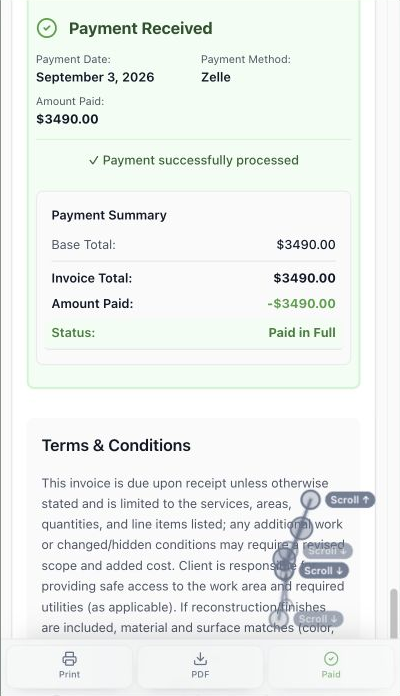
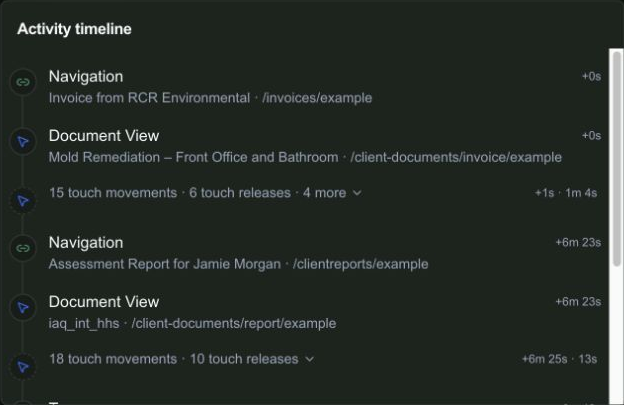
Open a recorded session to follow the client’s scrolling, taps, and next page. In this real visit, the client reviewed a paid remediation invoice, then opened the assessment report.
From invoice to report
Actual session activity. Client name and document links replaced for this preview.
At 6:23, the timeline records the move from invoice to report. That gives the next conversation a starting point beyond “Did you get my email?”
Choose the right starting point
Run the operation
Keep your client work organized, from the first call to the final payment.
Explore the platform02Bring in new work
Need a better website or help bringing in work? Start with the services your business needs.
Explore services03Start a new market
Explore the brand, training, systems, and practical support available to qualified new operators.
Talk through the opportunityTell us how you work today. We’ll walk through the calls, fieldwork, and reports that matter to your team.
0130-minute personalized walkthrough
02See pricing for your team size
03No obligations or pressure