One link for the task. One verified home for the history.
Send a quote, invoice, or report straight to the client’s phone—then give them verified access to the matching records they need later.
- No account for a direct link
- Phone + document verification
- Quotes, invoices, and reports
01 / Direct link
Open the exact document. Skip the account setup.
Send the public link for one quote, invoice, or report. The client lands on the responsive record you intended and can take the available action without first searching a portal.
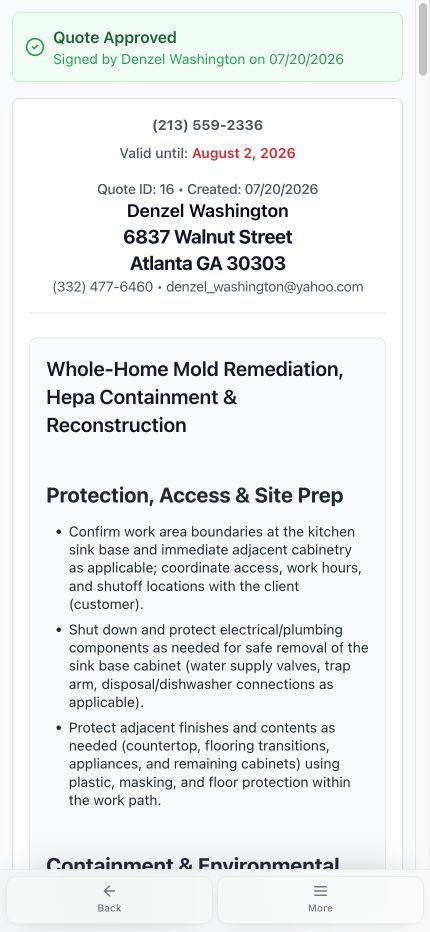
Quote → review and approve
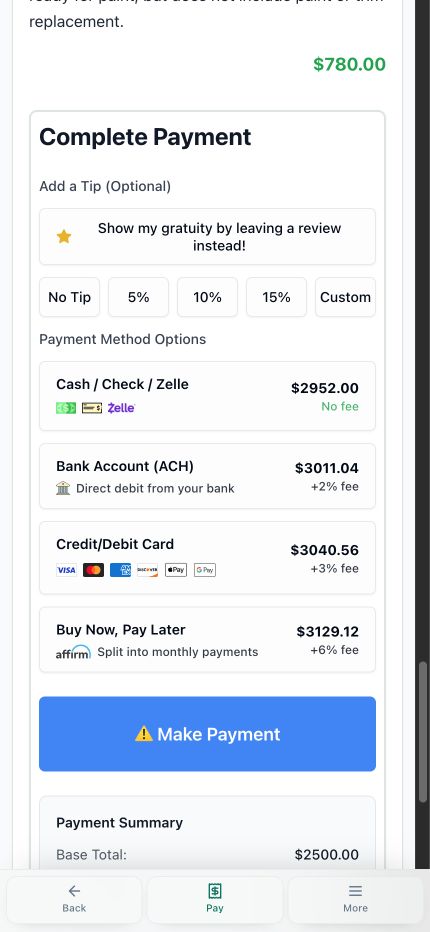
Invoice → review and pay
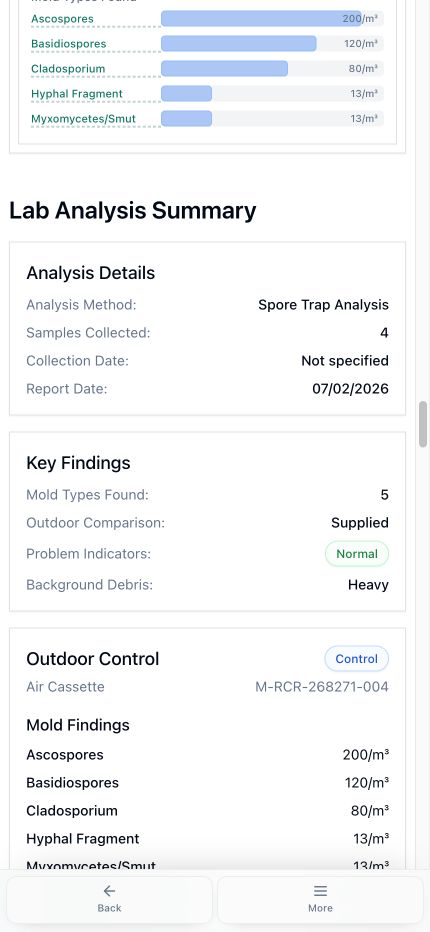
Report → read findings
Use the left and right arrow keys to change screenshots. On a touch screen, swipe horizontally. Activate a screenshot to open its expanded view.
A current generic quote link preserves the approval, signer, date, property, and exact scope the client reviewed.
1 / 3
Scroll through the workflow
3 views
Mobile workflow
01 / 03
Mobile workflow
02 / 03
Mobile workflow
03 / 03
Tap any view to expand it, then use the controls or swipe between the full-screen screens.
02 / Verified portal
When clients need history, verify them before showing it.
The portal matches the phone number on file with a service date, quote number, or invoice number, then limits the dashboard to records tied to that client and company.
Use the left and right arrow keys to change screenshots. On a touch screen, swipe horizontally. Activate a screenshot to open its expanded view.
A current live client portal verifies the phone number on file with a service date, quote number, or invoice number before revealing matching records.
1 / 1
Swipe to view
1 / 1
Verified records
One client. Matching history.
Reports
Invoices
Quotes
03 / Decision trail
The client sees the decision. The office keeps the proof.
The responsive approval stays connected to generated files, permanent snapshots, views, and the signed event the office can inspect later.
- Generated document history
- Permanent approved snapshot
- Expanded approval timestamp and view context
Use the left and right arrow keys to change screenshots. On a touch screen, swipe horizontally. Activate a screenshot to open its expanded view.
The approved client view records who signed and when, while the retained scope shows exactly what was accepted.
1 / 1
Swipe to view
1 / 1
04 / Output
The phone view and printable file tell the same story.
Each link is designed for the client’s screen while the corresponding quote, invoice, or report remains ready to download and print.
Use the left and right arrow keys to change screenshots. On a touch screen, swipe horizontally. Activate a screenshot to open its expanded view.
A current generic quote link preserves the approval, signer, date, property, and exact scope the client reviewed.
1 / 3
Scroll through the workflow
3 views
Mobile workflow
01 / 03
Mobile workflow
02 / 03
Mobile workflow
03 / 03
Tap any view to expand it, then use the controls or swipe between the full-screen screens.
Let’s walk through a job.
Tell us how you work today. We’ll walk through the calls, fieldwork, and reports that matter to your team.
0130-minute personalized walkthrough
02See pricing for your team size
03No obligations or pressure