Quote
Start from the reviewed client, service address, call summary, and discussed price, then send the finished proposal by SMS.
Attribute the call, record the conversation, extract and verify the complete service address and job details, then send the next step before the opportunity has time to shop.
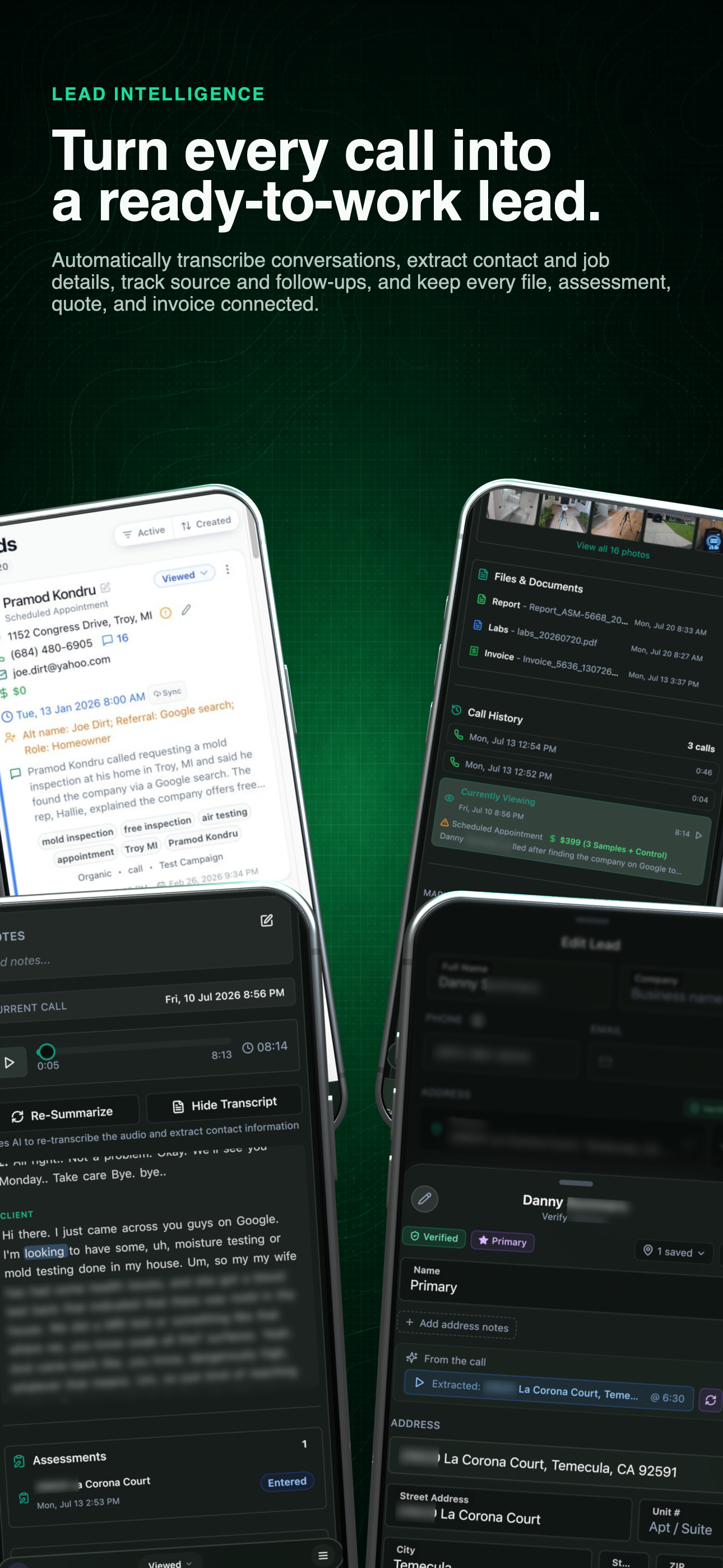
Connected lead workflow
Start with the complete call-to-client workflow, then inspect its recording, extracted details, linked records, and attribution below.
One call, five connected stages
Follow the opportunity from its marketing source to a reviewed client record and the next revenue-producing action.
Source → conversation → action
01 / Know what made the phone ring
Assign supported tracking numbers to websites, campaigns, or other marketing placements. The incoming call can retain its source and campaign context, helping the office connect the lead to the work that produced it instead of relying on memory.
Number
Which tracking number received the call
Source
Website, campaign, search, or other available context
Outcome
The lead, linked work, and eventual value
Use the left and right arrow keys to change screenshots. On a touch screen, swipe horizontally. Activate a screenshot to open its expanded view.
A current generic lead keeps the extracted address, summary, price, appointment, keywords, and marketing context readable before the record is opened.
1 / 1
Scroll through the workflow
1 views
Mobile workflow
01 / 01
Tap any view to expand it, then use the controls or swipe between the full-screen screens.
Incoming call
Current recording · 04:11
Transcript
Word-timed
Summary
Generated
Fields
Extracted
Address
Ready to verify
Use the left and right arrow keys to change screenshots. On a touch screen, swipe horizontally. Activate a screenshot to open its expanded view.
Expand the transcript to review exactly what the caller and representative said without leaving the lead.
1 / 1
Scroll through the workflow
1 views
Mobile workflow
01 / 01
Tap any view to expand it, then use the controls or swipe between the full-screen screens.
02 / Listen and read in sync
Supported calls are recorded and transcribed into the lead. Word-level timing can keep the transcript aligned with playback, highlight the current words, and let a reviewer jump the audio to a selected passage instead of scrubbing through the entire call.
Review the conversation, not somebody's shorthand.
The original recording remains available when a name, service detail, price, or promise needs to be checked precisely.
03 / Extract, then verify
The system prepares a summary and structured fields for review. For an extracted address, it retains the spoken excerpt and audio position, separates the street, unit, city, state, and ZIP, and checks the location against mapping data. The office can replay the exact source, review any partial match, and save a verified address and map position to the client.
Use the left and right arrow keys to change screenshots. On a touch screen, swipe horizontally. Activate a screenshot to open its expanded view.
The transcript becomes reviewable fields for the service request, appointment, price, contact details, and next step.
1 / 2
Scroll through the workflow
2 views
Mobile workflow
01 / 02
Mobile workflow
02 / 02
Tap any view to expand it, then use the controls or swipe between the full-screen screens.
Use the left and right arrow keys to change screenshots. On a touch screen, swipe horizontally. Activate a screenshot to open its expanded view.
A repeat caller retains the full current summary while the earlier conversation remains available in the same lead history.
1 / 1
Scroll through the workflow
1 views
Mobile workflow
01 / 01
Tap any view to expand it, then use the controls or swipe between the full-screen screens.
04 / One client, continuing context
Repeat lead activity can inherit and extend a cumulative summary. When an SMS supplies a second property, a corrected name, or details that were never discussed on the call, the office can review that context and consolidate the lead beneath the correct client instead of building a duplicate record.
05 / Act while the customer is engaged
Because the reviewed client, address, scope context, and discussed price are already attached to the lead, the office can move into a professional quote in a few clicks, finish the scope, and send the link by SMS while the conversation is still fresh.
The same record can start an assessment or invoice when that is the correct next step, reducing the delay and repeated data entry that gives a potential client time to request another estimate.
Reviewed call context
Start from the reviewed client, service address, call summary, and discussed price, then send the finished proposal by SMS.
Open a field record without asking the client for the same contact, property, and service details again.
Create the billing record from the same client when the next step is immediate payment rather than a proposal.
Continue the conversation from the lead and keep the message history connected to the client record.
Tell us how you work today. We’ll walk through the calls, fieldwork, and reports that matter to your team.
0130-minute personalized walkthrough
02See pricing for your team size
03No obligations or pressure