Make Every Review Request Feel Personal
Send at the right moment, help clients shape an authentic response, and track the request from first view through completion.
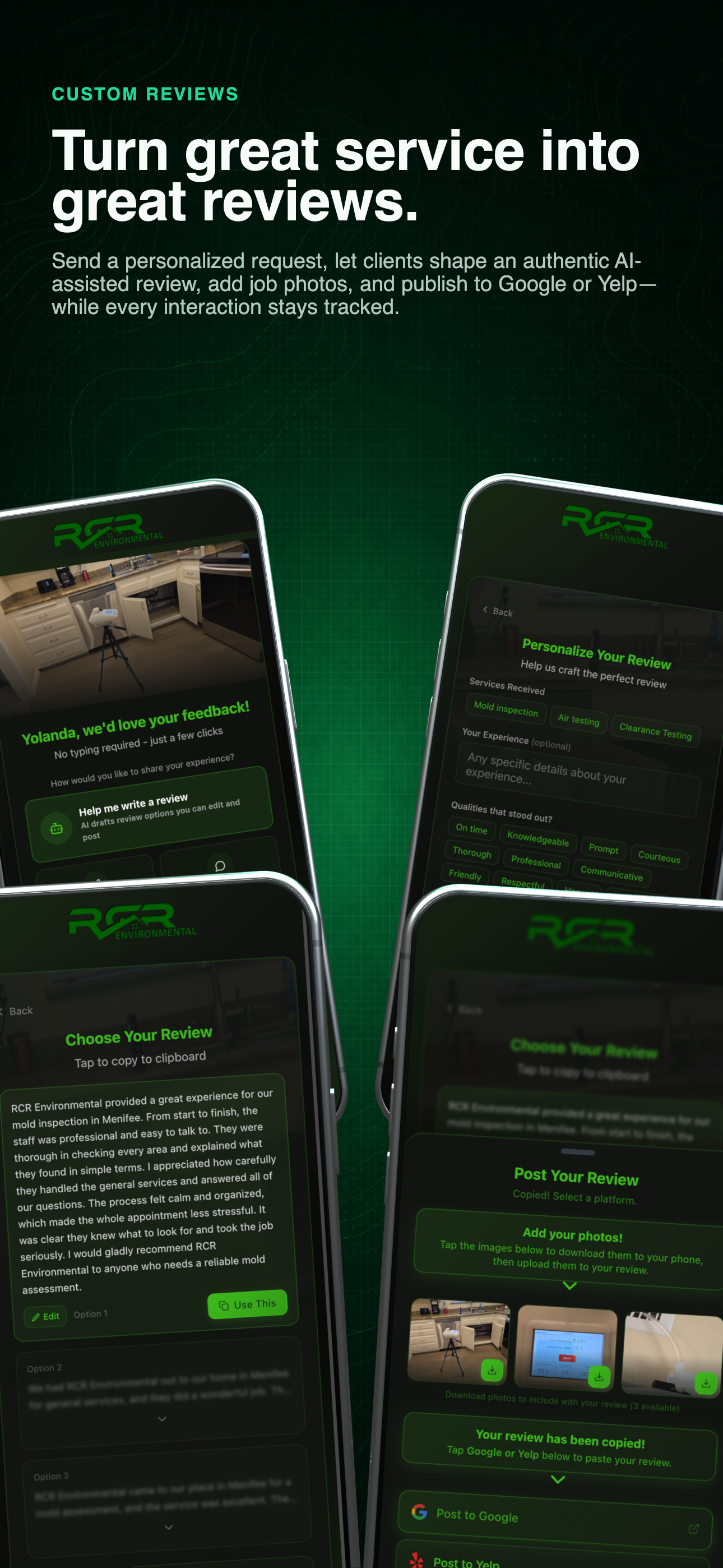
Complete review journey
See the request, client experience, review assistance, and activity history together before drilling into each step.
Personal request, visible history
Turn good service into an easier review.
Ask while the job is still fresh, help the client get started, and know what happened after the link was sent.
- 01
Make the request personal
Start with the client and completed service instead of sending the same generic review message to everyone.
- 02
Remove the blank-page problem
Give the client editable starting points that reflect the work while keeping the final words in their control.
- 03
See the full request history
Track when a request was sent, viewed, generated, and used so follow-up is based on activity—not guesswork.
Use the left and right arrow keys to change screenshots. On a touch screen, swipe horizontally. Activate a screenshot to open its expanded view.
The current dashboard keeps every generic review request, status, view, generation, click, and share action visible.
1 / 2
Scroll through the workflow
2 views
Mobile workflow
01 / 02
Mobile workflow
02 / 02
Tap any view to expand it, then use the controls or swipe between the full-screen screens.
Let’s walk through a job.
Tell us how you work today. We’ll walk through the calls, fieldwork, and reports that matter to your team.
0130-minute personalized walkthrough
02See pricing for your team size
03No obligations or pressure