01
None
Use a descriptive inclusion, exclusion, or scope note without adding an individual price.
Bring the client name, address, pricing, and service details forward from the conversation, then send a professional proposal in a few clicks—while the opportunity is still engaged.
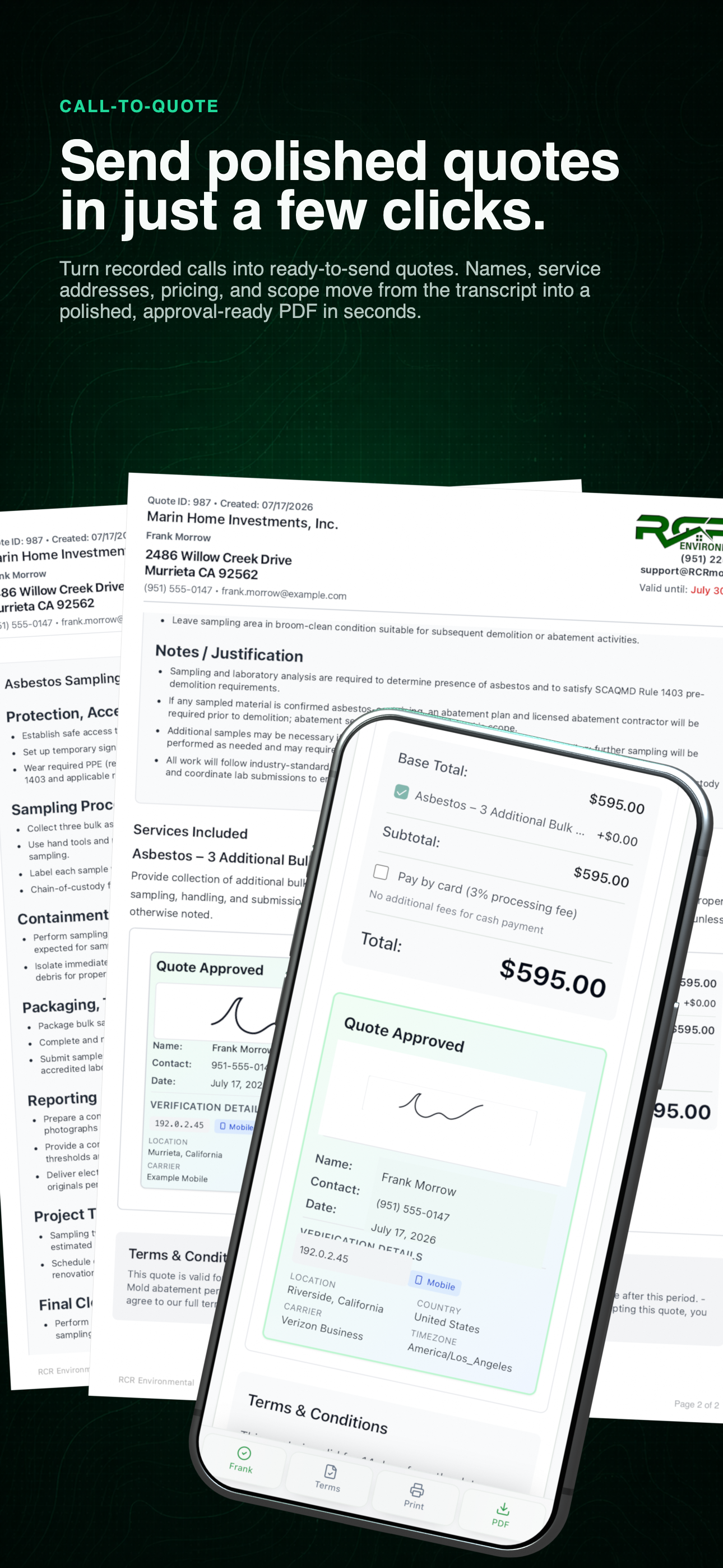
Complete call-to-quote workflow
Recorded details become a reviewed scope, a mobile approval experience, and a finished document in one connected workflow.
The complete quote lifecycle
Follow the real path from the call to a fast proposal, client approval, decision history, and the next operational record.
9 connected stages
01 / Call context
Select the lead and the quote begins with the conversation still attached. Contact details, the service address, call summary, and discussed price move forward without another round of data entry. When the quote has no starting total yet, the matching call price is ready to apply and review.
Use the left and right arrow keys to change screenshots. On a touch screen, swipe horizontally. Activate a screenshot to open its expanded view.
The current quote begins with the generic client, property, discussed price, and reviewed call summary before the team completes the scope.
1 / 1
Swipe to view
1 / 1
02 / Draft scope
Load a proven template or describe the project in a few sentences. AI can draft the scope alone or include optional and priced line items, while your team reviews every word before it becomes client-facing.
Move while the opportunity is still warm.
Starting with the call context, a saved template, and an assisted scope draft helps the team get a professional quote out in a few clicks—before the potential client has time to keep shopping. Your team still reviews the title, written scope, services, images, terms, and internal notes.
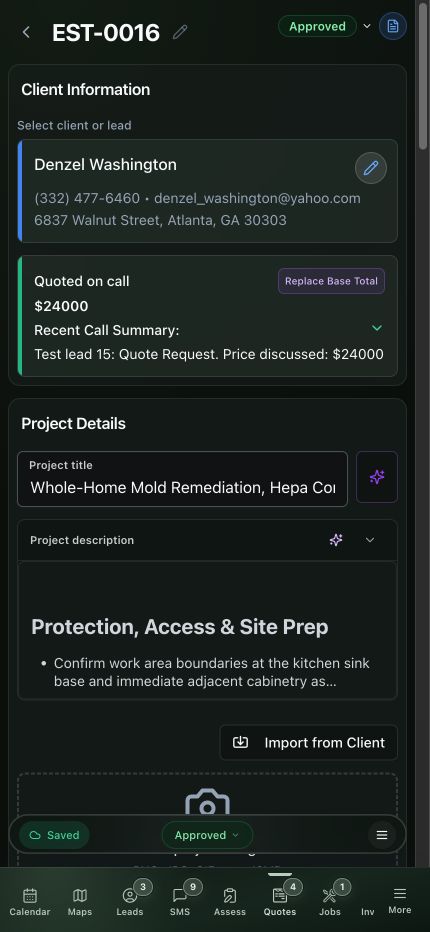
01 / Draft and review
Start from the reviewed call context, then refine the project title, generated scope, services, images, and line-item behavior.
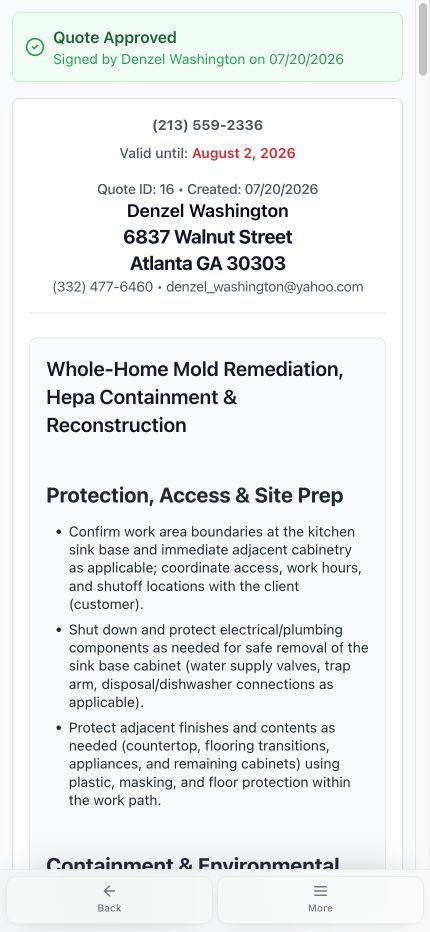
02 / Preserve the approved result
The client view records who approved the quote and when while retaining the complete scope that was accepted.
03 / Line items
Give every service the behavior it needs. The client sees a clear starting total and can make supported choices without losing the scope behind the price.
01
Use a descriptive inclusion, exclusion, or scope note without adding an individual price.
02
Include the priced service in every version and in the approved total.
03
Show the client a priced choice without adding it until they select it.
04
Recommend and preselect the item, include it initially, and still let the client remove it.
Base total
One reviewed price for the complete scope
Auto from items
Required and Selected items total automatically
Core + choices
Required work with clearly separated options
Use the left and right arrow keys to change screenshots. On a touch screen, swipe horizontally. Activate a screenshot to open its expanded view.
Stack percentage and flat-dollar discounts, then verify the recalculated quote total before sending.
1 / 1
Swipe to view
1 / 1
04 / Discounts
Add more than one discount, mix percentage and flat-dollar reductions, and verify the resulting price breakdown before the quote leaves the office. Each adjustment stays visible in the total instead of disappearing into a rewritten scope.
05 / Payment policy
Encourage cash, check, Zelle, or ACH with a discount, or pass the configured card-processing cost through transparently. The same base amount makes the tradeoff easy to understand.
Cash / ACH discounts
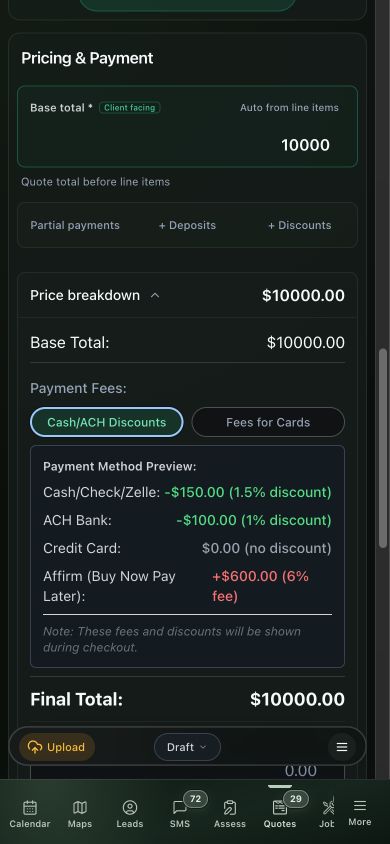
Fees for cards
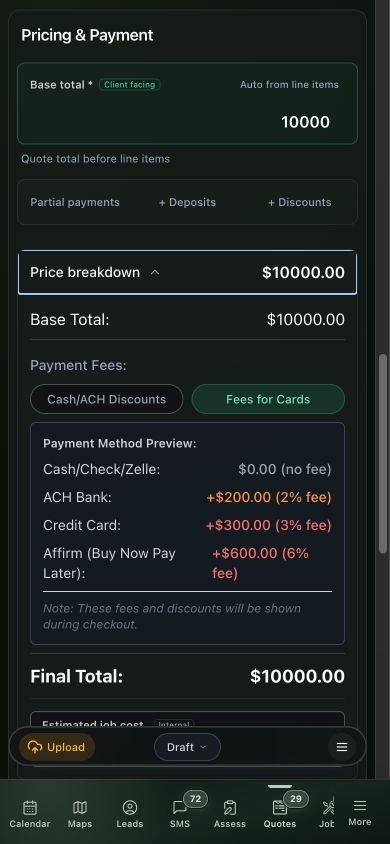
Reward lower-cost payment methods with a clearly disclosed discount while card pricing stays at the quoted total.
Keep the base quote intact and disclose the configured card or online-processing charge before approval.
Choose the approach that fits the business. The client sees the active policy instead of two competing calculations.
06 / Send and remind
Send the quote by SMS or email. The same link opens a readable mobile proposal and a polished printable PDF, while scheduled reminders keep an open quote moving without the team rebuilding messages by hand.
Use the left and right arrow keys to change screenshots. On a touch screen, swipe horizontally. Activate a screenshot to open its expanded view.
The client receives a clean first page with the property and written scope organized for review before pricing and approval.
1 / 3
Scroll through the workflow
3 views
Mobile workflow
01 / 03
Report or document
02 / 03
Report or document
03 / 03
Tap any view to expand it, then use the controls or swipe between the full-screen screens.
Use the left and right arrow keys to change screenshots. On a touch screen, swipe horizontally. Activate a screenshot to open its expanded view.
The same phone screen selected for the approved quote card keeps the total, signature, verification context, and finished-document actions together.
1 / 1
Scroll through the workflow
1 views
Mobile workflow
01 / 01
Tap any view to expand it, then use the controls or swipe between the full-screen screens.
07 / Approval
The client reviews supported options, confirms the final total, and signs without a separate document handoff. The approved version is preserved as a permanent snapshot and the payable invoice stays connected.
Approval is the event that closes the reminder loop and opens the operational one.
08 / Analytics
Follow the client views that came before the decision, then open the visit that produced the signed approval.
Use the left and right arrow keys to change screenshots. On a touch screen, swipe horizontally. Activate a screenshot to open its expanded view.
Six compact metrics leave room for the permanent signed snapshot and the start of the client view history in one phone screen.
1 / 1
Swipe to view
1 / 1
Use the left and right arrow keys to change screenshots. On a touch screen, swipe horizontally. Activate a screenshot to open its expanded view.
The earlier client views lead directly to the marked approval event, with location, provider, and device context preserved.
1 / 1
Swipe to view
1 / 1
What the trail records
09 / Continue the work
Continue into billing or field work from the same quote. The client, approved scope, and related records remain visible instead of becoming separate islands of information.
Use the left and right arrow keys to change screenshots. On a touch screen, swipe horizontally. Activate a screenshot to open its expanded view.
Sent and paid invoices stay distinguishable from the phone, with the balance and client activity visible before opening the record.
1 / 1
Swipe to view
1 / 1
A clear proposal. A recorded decision.
Give the client a clear scope and a total they can review on their phone. Keep the approved quote and signature together in a printable document.
Explore quoting
Real product HTML. Client details and signatures replaced for this preview.
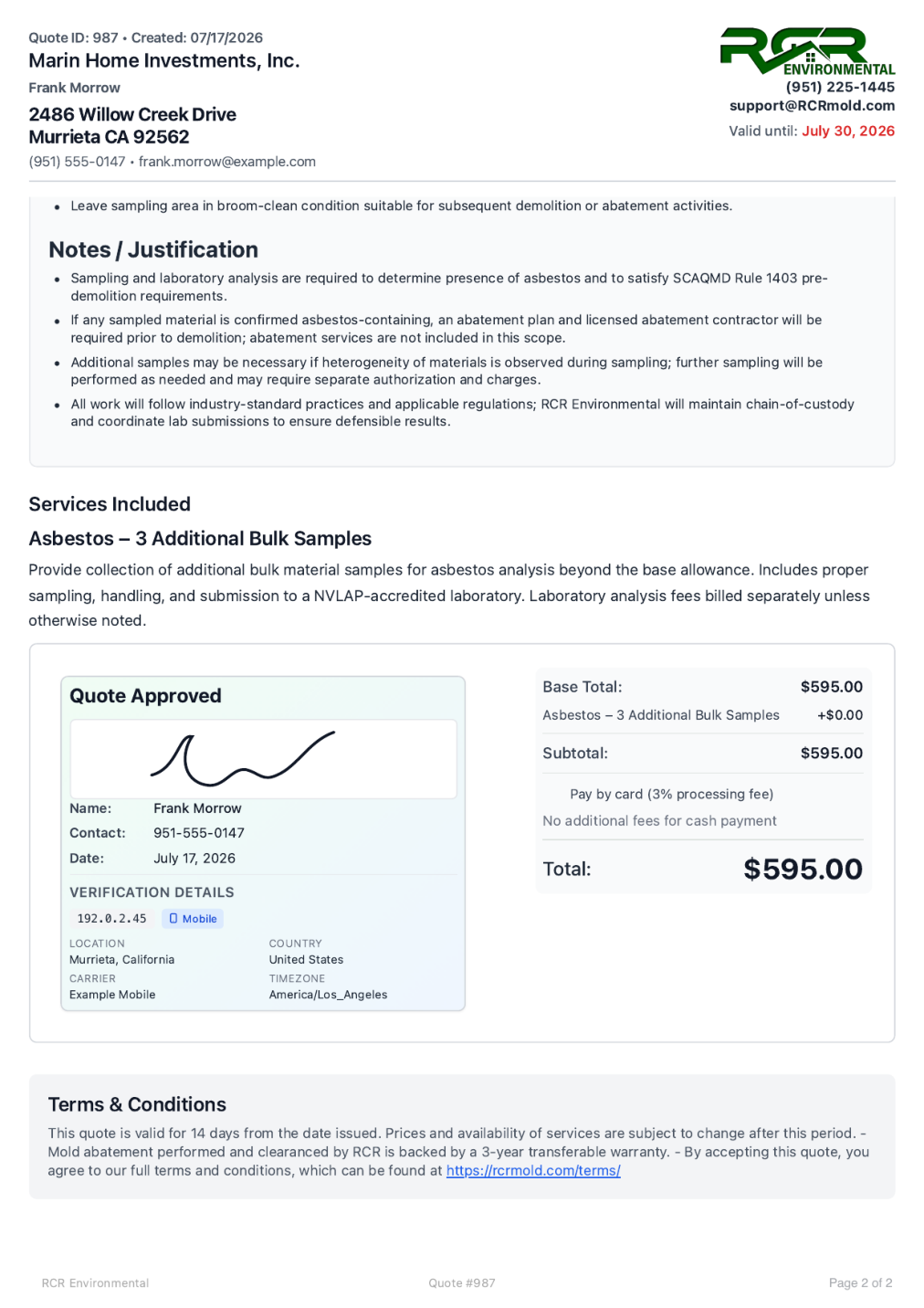
Approved quote, selected total, and sample signature
The approved quote records the client’s decision and the $595 total. The phone and PDF use the same sample client details.
Tell us how you work today. We’ll walk through the calls, fieldwork, and reports that matter to your team.
0130-minute personalized walkthrough
02See pricing for your team size
03No obligations or pressure