Static content
Keep the legal language, instructions, headings, and branded layout consistent across every use.
Create reusable certificates, warranties, and closeout documents, insert fields from the connected client or project, and review the populated output before delivery.
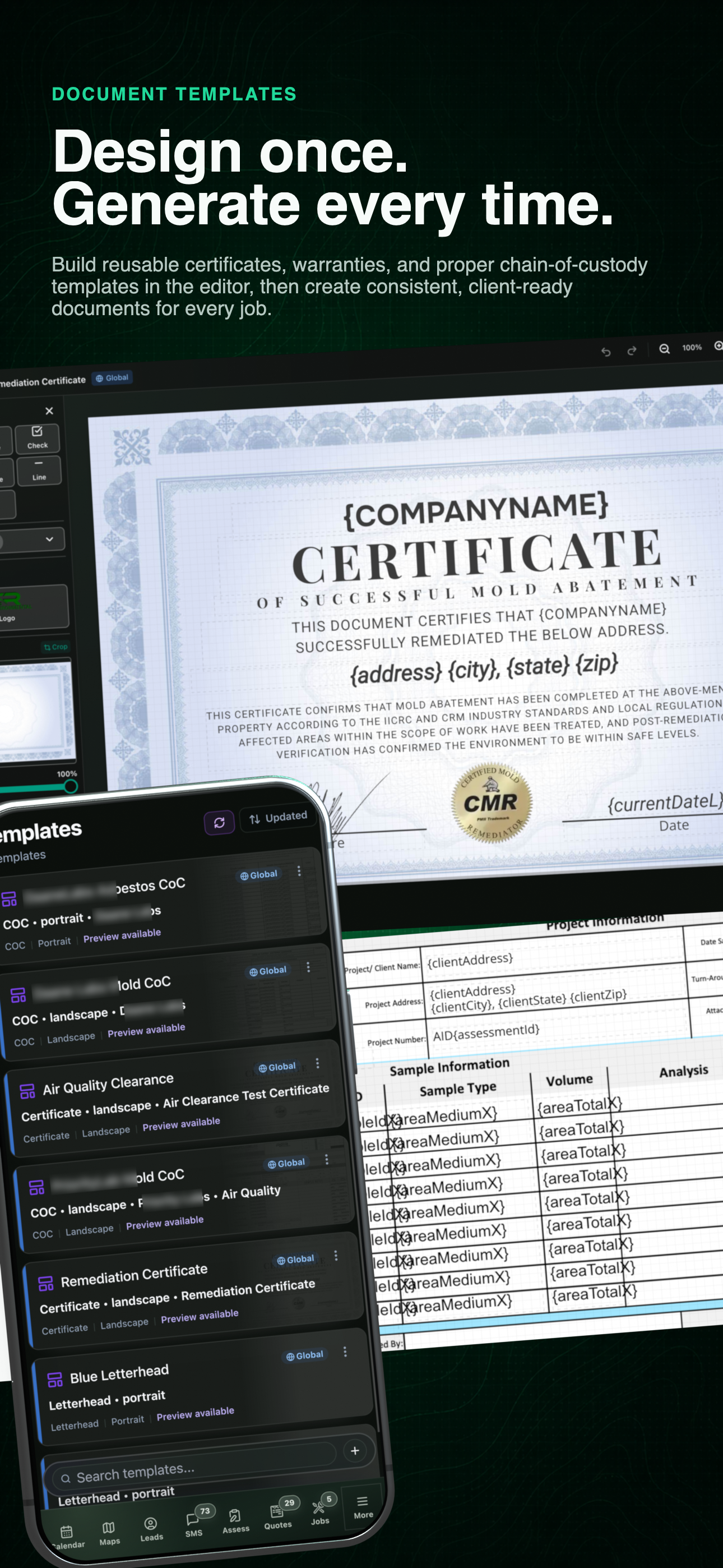
Document template workflow
See the reusable template, the editing workspace, and the client-ready output together before opening each step below.
01 / Template library
Certificates, warranties, and closeout forms remain reusable assets instead of becoming one-off files scattered across a drive.
Use the left and right arrow keys to change screenshots. On a touch screen, swipe horizontally. Activate a screenshot to open its expanded view.
A current generic library keeps reusable certificates, chain-of-custody forms, and clearance documents ready with preview status visible.
1 / 1
Swipe to view
1 / 1
02 / Editor
Keep the branded language stable while record-backed fields supply the client and project details for each use.
Keep the legal language, instructions, headings, and branded layout consistent across every use.
Map changing values to the company, client, assessment, report, or project record instead of typing them again.
Choose the template that belongs to the relevant lab, report type, certificate, or workflow where supported.
Use the left and right arrow keys to change screenshots. On a touch screen, swipe horizontally. Activate a screenshot to open its expanded view.
Edit the branded certificate layout and position record-backed placeholders directly in the current document editor.
1 / 1
Swipe to view
1 / 1
03 / Generated output
The useful proof is the populated document. Confirm the client and project values, make the final review, and then attach the output to the record that produced it.
Use the left and right arrow keys to change screenshots. On a touch screen, swipe horizontally. Activate a screenshot to open its expanded view.
Review the populated certificate before it becomes part of the client deliverable.
1 / 1
Swipe to view
1 / 1
Tell us how you work today. We’ll walk through the calls, fieldwork, and reports that matter to your team.
0130-minute personalized walkthrough
02See pricing for your team size
03No obligations or pressure