Follow up with context.
Review recorded document visits, skip idle time, and see connected quote approval and payment activity before following up.
- Recorded scrolling and navigation
- Playback speed and skip idle time
- Connected approval and payment status
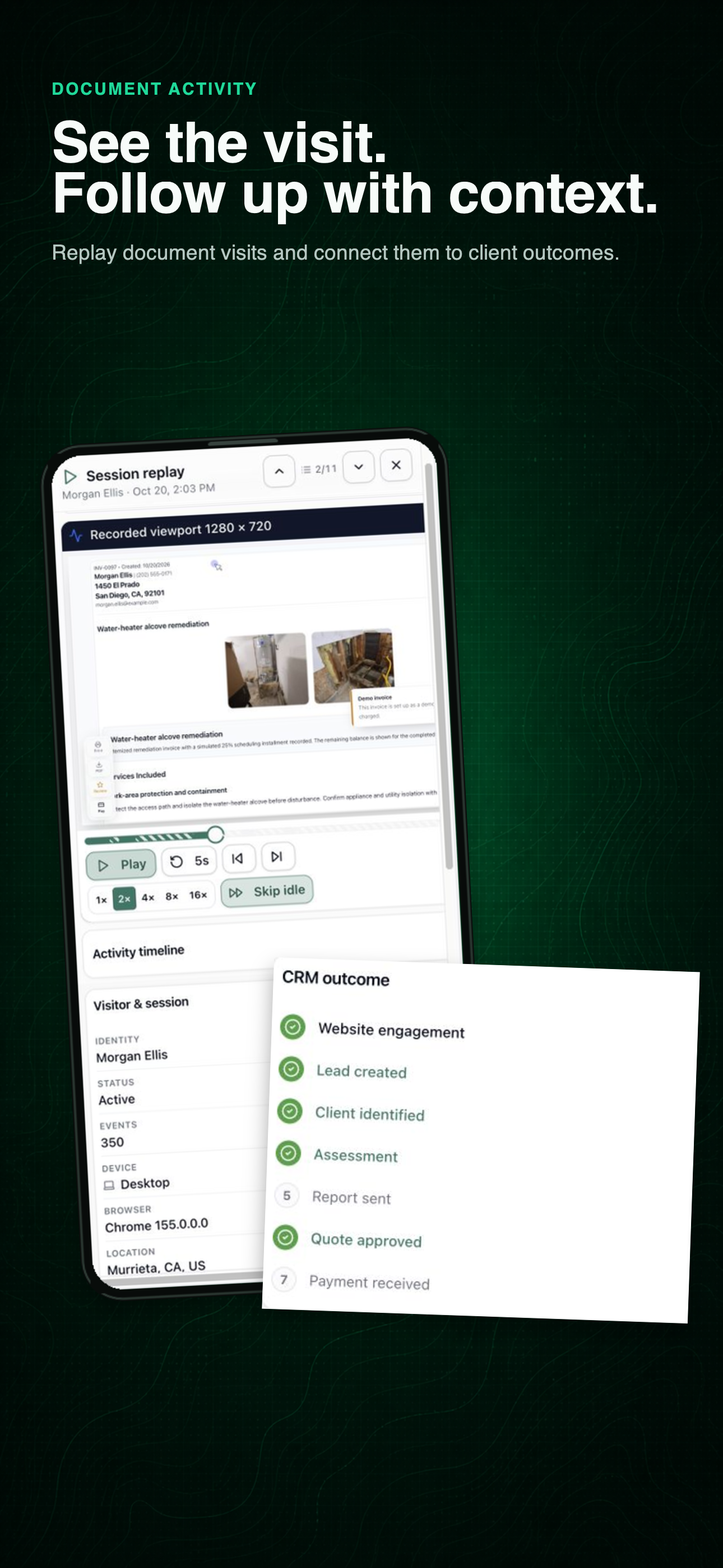
Know what happened next
Actual product views from an illustrative customer journey.
Watch the workflow in 54 seconds.
See a recorded report visit, review the useful moments, and follow the connected quote and invoice.
Watch the phone or desktop demo →01 · Start with the client
Bring the visits together.
After sharing a quote, invoice, or report, find the client’s recorded document activity. Review visits from the same customer before calling or sending a follow-up, whether you work alone or share the office workload.
Keep the conversation connected →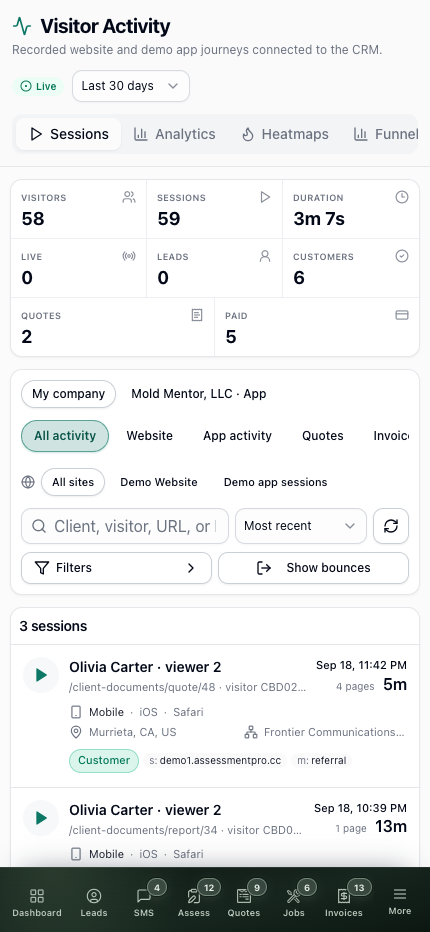
02 · Review the useful moments
See the visit unfold.
Play captured scrolling and navigation through the document. Change playback speed, skip inactive stretches, or move between recorded pages. The desktop workspace keeps playback and the client’s related activity in view.
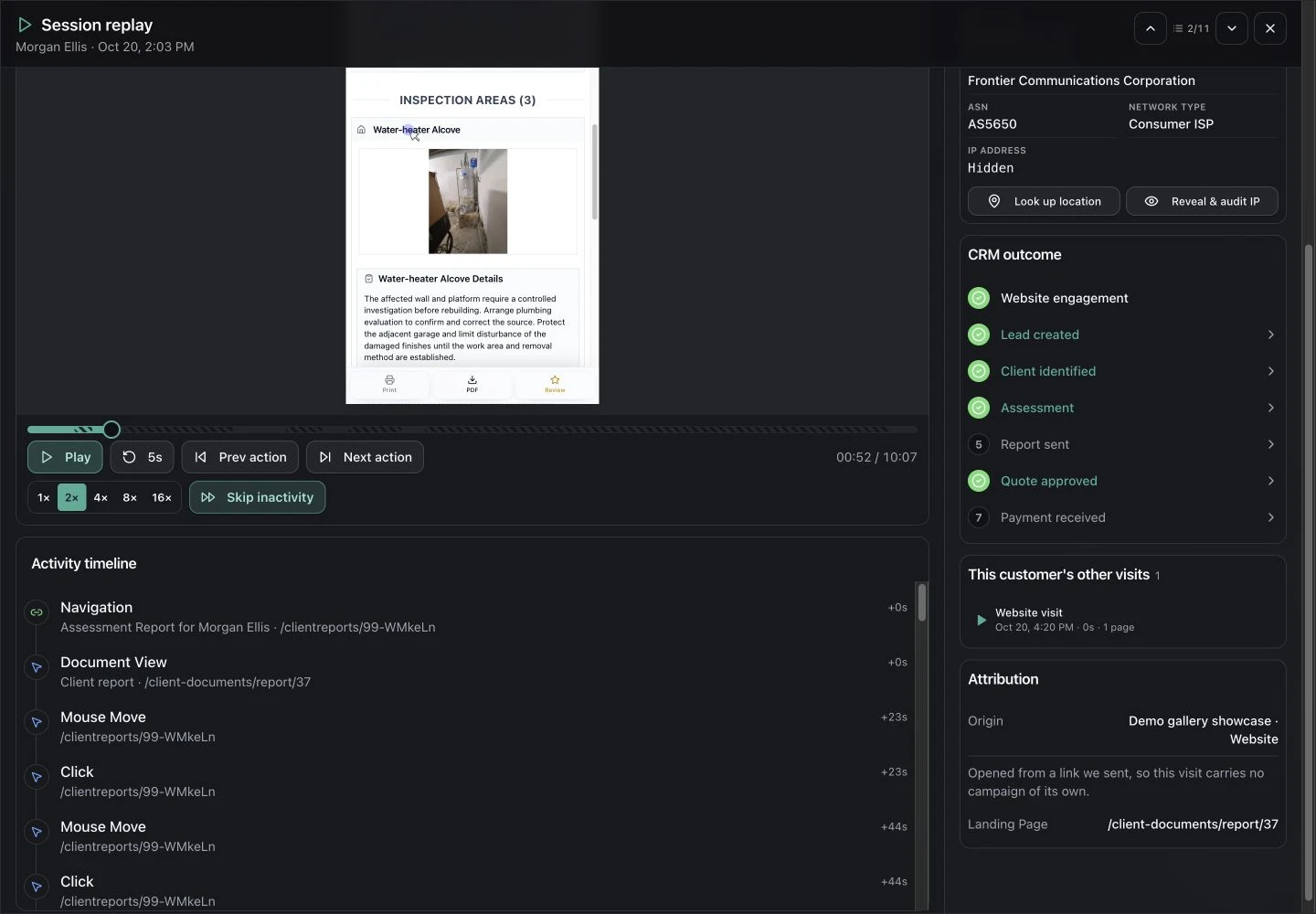
03 · Choose the next step
Keep views, approval, and payment distinct.
A document view helps explain engagement. The linked client record shows approval and recorded payment status separately, so your follow-up can reflect what has already happened.
Replay is available when a session was captured. Customer website and document activity is separate from internal app-usage recordings, which are restricted to super administrators.
Explore the quote-to-invoice workflow →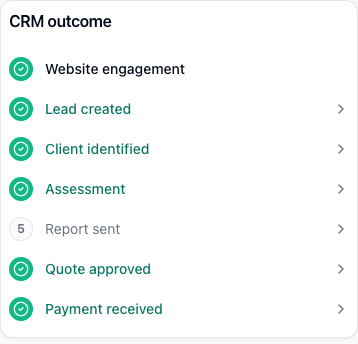
Let’s walk through a job.
Tell us how you work today. We’ll walk through the calls, fieldwork, and reports that matter to your team.
0130-minute personalized walkthrough
02See pricing for your team size
03No obligations or pressure