Check the competition. Measure your local growth.
Run the term and service area that matter, inspect the completed field points, compare named competitors, and save the report for the next scan.
- Completed map field points
- Competitor comparison
- Printable saved reports
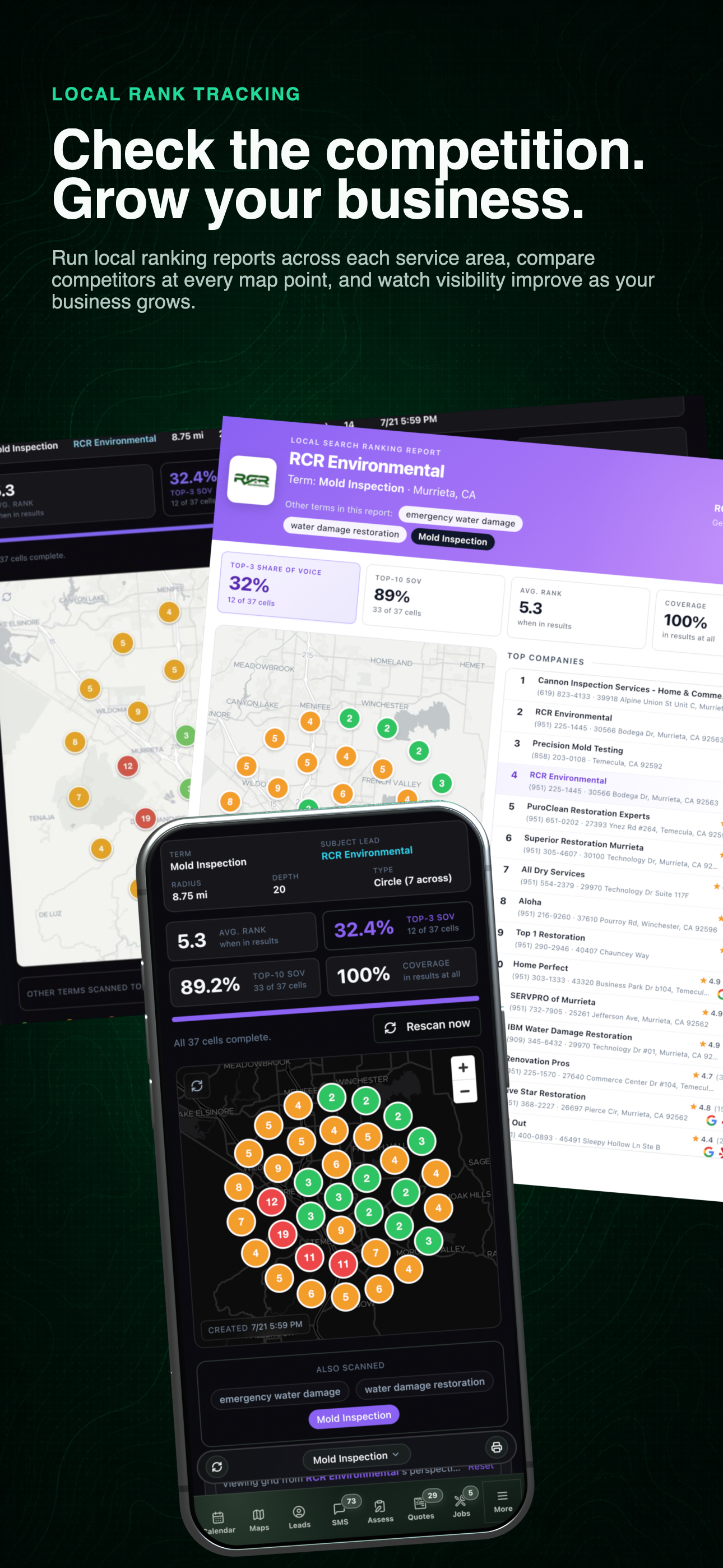
Local rank tracking workflow
See the desktop scan, mobile grid, and printable competitor report together before opening each result below.
Local rank tracking
See where clients can find you.
Check your position across the service area, compare nearby competitors, and save the scan to track changes over time.
- 01
Choose the term and service area
Run the grid for the keyword, radius, density, and market that matter to the business rather than relying on one blended visibility score.
- 02
Read the completed field points
Compare average rank, top-three share of voice, top-ten coverage, and the individual map positions that make those percentages real.
- 03
Save the comparison
Use the report to document the grid, named competitors, and current result before comparing it with a later scan.
Use the left and right arrow keys to change screenshots. On a touch screen, swipe horizontally. Activate a screenshot to open its expanded view.
Keep each saved scan’s terms, market, grid coverage, radius, and date visible before opening the map.
1 / 3
Scroll through the workflow
3 views
Mobile workflow
01 / 03
Mobile workflow
02 / 03
Report or document
03 / 03
Tap any view to expand it, then use the controls or swipe between the full-screen screens.
Let’s walk through a job.
Tell us how you work today. We’ll walk through the calls, fieldwork, and reports that matter to your team.
0130-minute personalized walkthrough
02See pricing for your team size
03No obligations or pressure